

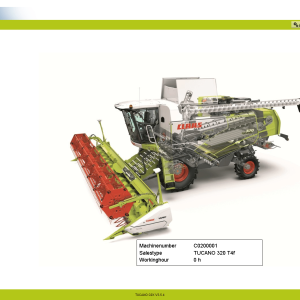
CLAAS CDS 7.5 Diagnostic Software 2021.05
$ 200.00
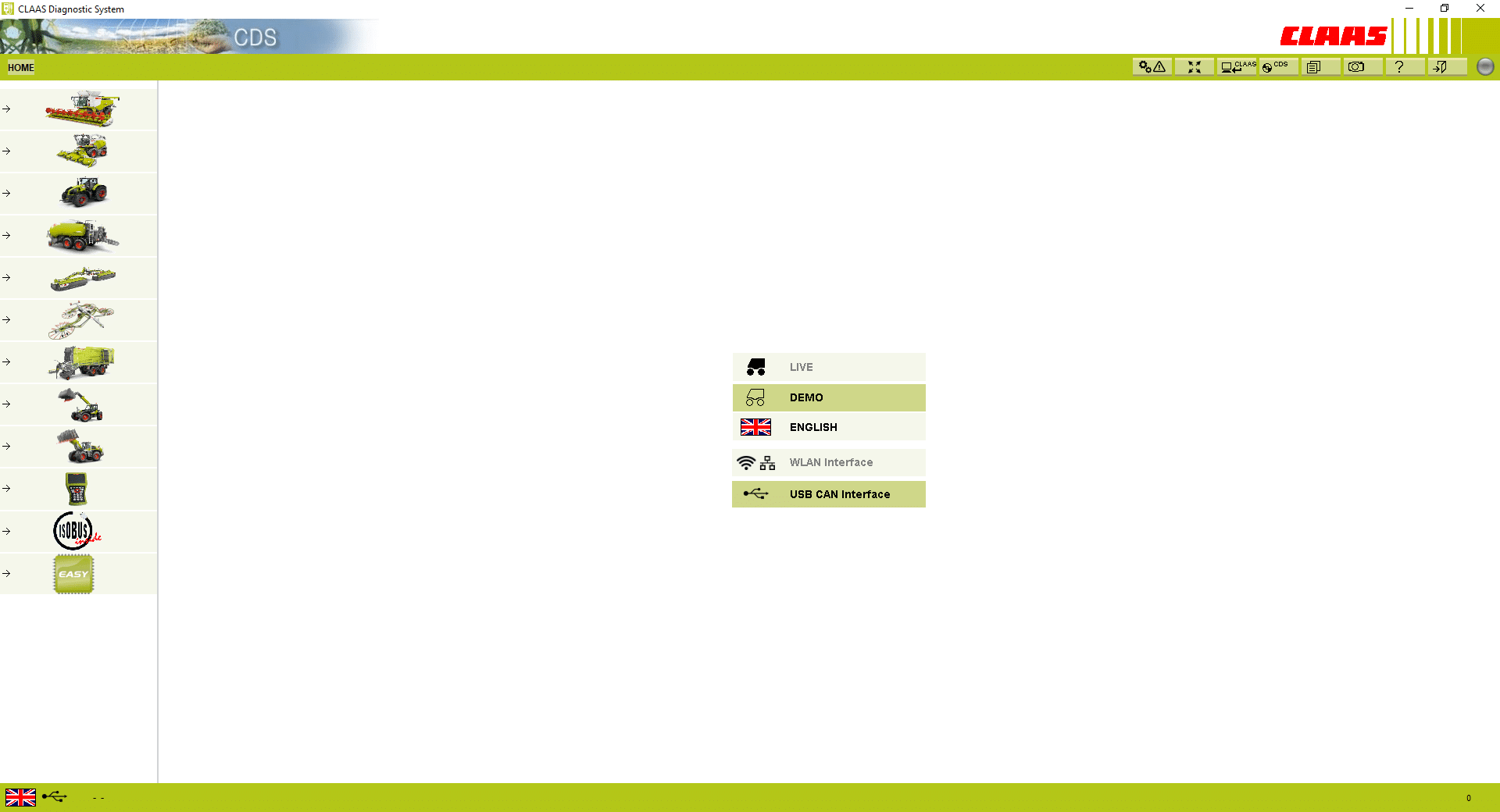
The CLAAS CDS 7 5 Diagnostic Software 2021 05 is an essential tool for diagnosing heavy machinery and trucks. It offers advanced features for troubleshooting and maintenance of CLAAS equipment. This diagnostic software is compatible with various CLAAS models and provides real-time monitoring
CLAAS CDS 7 5 Diagnostic Software 2021 05: Key Features and Benefits
The CLAAS CDS 7 5 Diagnostic Software 2021 05 is an essential tool for diagnosing heavy machinery and trucks. It offers advanced features for troubleshooting and maintenance of CLAAS equipment. This diagnostic software is compatible with various CLAAS models and provides real-time monitoring. Installation is facilitated through remote support using TeamViewer for a seamless setup experience.
Key Features of the CLAAS CDS 7 5 Diagnostic Software
The CLAAS CDS 7 5 Diagnostic Software is equipped with several advanced features that enhance its utility in diagnosing heavy machinery and trucks. A standout capability is its comprehensive diagnostic function that enables users to read and clear fault codes. This feature allows technicians to quickly identify and address mechanical issues, ensuring optimal performance.
Real-time parameter monitoring is another essential highlight. This functionality provides valuable insights into machine operations, allowing technicians to observe system performance and make adjustments as necessary. Such immediate feedback helps maintain operational efficiency and can prevent severe machinery damage.
- Advanced Calibration Options: Technicians can adjust system settings with precision, ensuring that machinery operates according to manufacturer specifications.
- User-Friendly Interface: The software is designed with an intuitive interface, making it simple for users at all experience levels to navigate.
- Updated Database: It includes the latest manufacturer data, ensuring that diagnostics align with current standards and specifications.
Each of these features contributes to a more streamlined diagnostic process, reducing downtime and enhancing productivity. Tools like the CLAAS CDS 7 5 are essential in today’s agricultural landscape, where efficiency and performance are paramount. The combination of powerful features and ease of use positions this software as a key asset for technicians working with CLAAS machinery.
Compatibility with CLAAS Machinery Models
The versatility of the CLAAS CDS 7 5 Diagnostic Software extends across a wide range of machinery models produced by CLAAS. This compatibility ensures that users can effectively troubleshoot and maintain their equipment without needing multiple tools for each type of machine.
Key machinery models supported include:
- **Lexion Harvesters**: Specifically, models ranging from 8000 to 5000, which are well-suited for diverse crop conditions and harvesting scenarios.
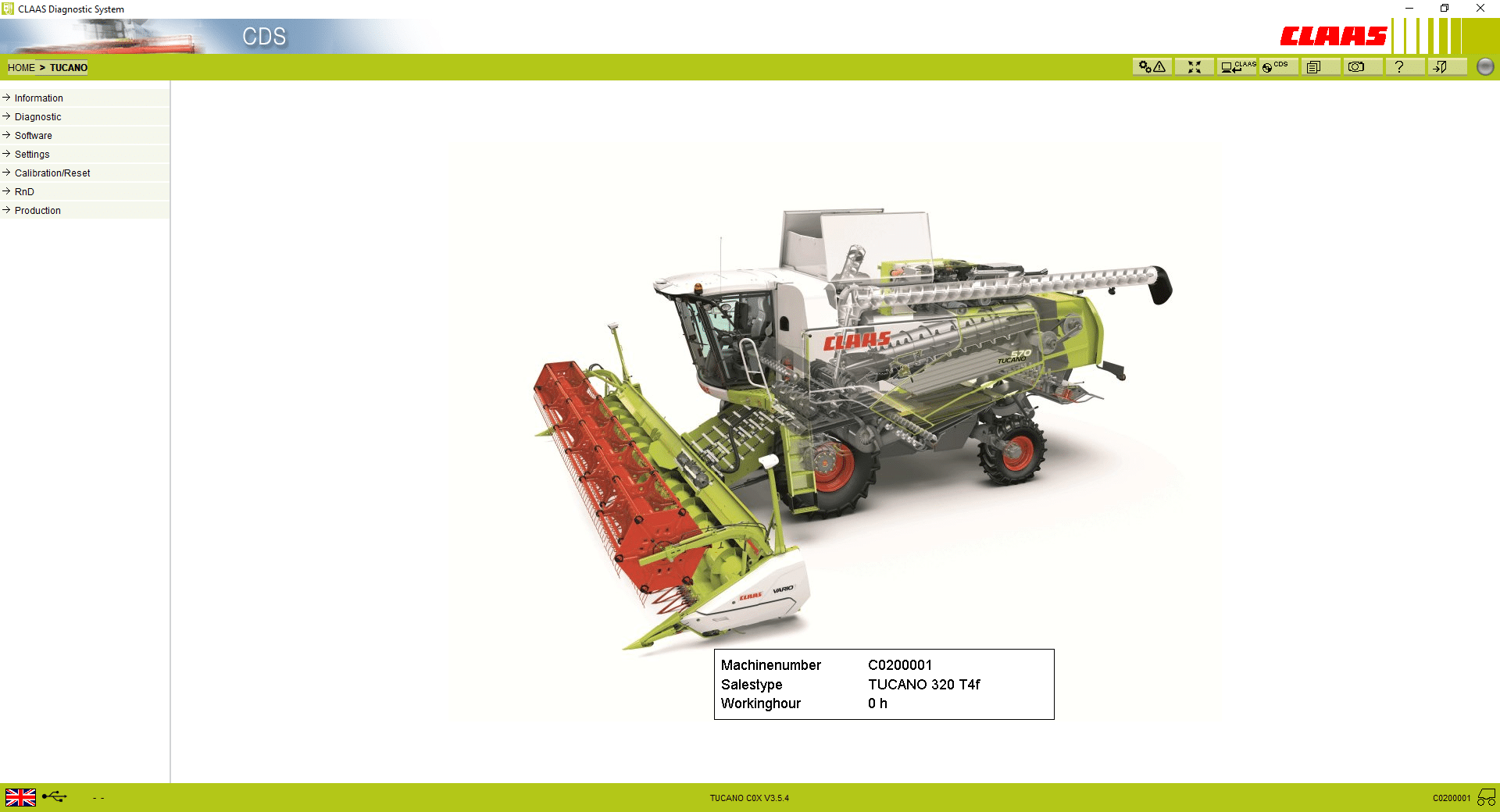
- **Tucano Harvesters**: These are designed for high performance in various harvesting tasks, ensuring maximum efficiency.
- **Jaguar Forage Harvesters**: Covering the Jaguar 900 to 990 series, this software offers diagnostic capabilities tailored for harvesting forage.
- **Xerion Tractors**: Known for their powerful performance, these tractors are crucial for large-scale agricultural operations.
- **Axion and Arion Tractors**: These models are among the most popular in the CLAAS lineup, providing effective solutions for various agricultural needs.
- **Quadrant Balers**: Included in the diagnostics are these machines, vital for the productivity of any harvesting operation.
The wide compatibility signifies that users can rely on the software across different machinery types, thus simplifying maintenance and ensuring optimal operation. Each diagnostic tool is critical for performing effective troubleshooting and calibration, which enhances overall machine performance in demanding agricultural environments.
By supporting such an extensive array of models, the software empowers technicians to maintain and optimize their equipment with ease.
System Requirements and Installation Process
To effectively utilize the CLAAS CDS 7 5 Diagnostic Software, certain system requirements must be met. Compatibility with specific operating systems ensures the software runs smoothly, maximizing its diagnostic capabilities.
- Supported Operating Systems: Windows 10 (x64), Windows 11, and Windows 7 (both x32 and x64 versions).
- Required Hardware: A computer with adequate processing power and memory to ensure optimal performance during diagnostics.
- Diagnostic Interface: Users must obtain the CLAAS CDS CANUSB Interface Activation Key, which facilitates communication between the software and the machinery.
The installation process involves remote assistance using applications like TeamViewer or AnyDesk. This approach streamlines setup and provides users with technical support throughout the installation. After acquiring the activation key, users can initiate the software installation, enabling access to its comprehensive diagnostic functions.
Once the software is installed successfully, users can begin diagnosing various CLAAS machinery models efficiently. The setup process is designed to ensure that even those without extensive technical experience can navigate it with ease. Ensuring all requirements are met prior to installation will lead to a seamless experience, allowing for effective troubleshooting and maintenance of heavy machinery.
Benefits and Practical Applications for Technicians
The CLAAS CDS 7 5 Diagnostic Software introduces a range of advantages that are essential for technicians working with heavy machinery and trucks. One significant benefit is the software’s ability to enhance diagnostic precision. This feature allows technicians to quickly identify and resolve issues, minimizing downtime and improving operational efficiency.
Another practical application is the real-time monitoring capabilities. Technicians can oversee the performance of machinery as it operates, making adjustments on-the-fly that optimize functionality. This not only aids in immediate troubleshooting but also fosters proactive maintenance strategies.
- Improved Fault Detection: With the ability to read and erase fault codes, technicians can swiftly tackle problems, ensuring machinery is back in service as soon as possible.
- Calibration Support: The software facilitates precise calibration, allowing machines to operate at optimal settings for various tasks, thus increasing overall productivity.
- User-Friendly Interface: The design promotes ease of use, enabling even less experienced technicians to navigate the software with confidence, reducing the need for extensive training.
- Training Resource: Technicians can use the software as a training tool, acquiring crucial diagnostic skills that will benefit their future work.
Utilizing this diagnostic software allows for more streamlined operations in workshops and service centers. By enabling comprehensive diagnostics, it empowers technicians to focus their expertise where it matters most, enhancing the quality of repair work and maintenance.
Related Diagnostic Tools and Accessories
A variety of diagnostic tools and accessories complement the CLAAS CDS 7 5 software to enhance its capabilities. These tools are designed to assist technicians in the efficient diagnosis and maintenance of heavy machinery.
- Claas CANUSB Interface: This interface is essential for establishing a direct connection between the diagnostic software and CLAAS equipment. It enables quick data transfer and communication, making diagnostics seamless.
- Diagnostic Cables: Appropriate cables are necessary for connecting various machinery models. Ensuring the right cables are available can significantly streamline the troubleshooting process.
- Workstation Setup: A dedicated workstation equipped with the necessary software environment is crucial. This setup includes a compatible operating system and the appropriate driver installations for devices.
- Remote Access Software: Tools like TeamViewer or AnyDesk are useful for technicians working off-site. They allow for remote installation support and troubleshooting, ensuring that users can receive timely assistance.
- User Manuals: Comprehensive user manuals provide vital information about the software features and functionalities. These manuals guide technicians through diagnostic procedures, enabling efficient problem resolution.
The integration of these tools and accessories can dramatically improve the diagnostic workflow, leading to faster resolution of equipment issues. Proper preparation ensures that technicians are equipped to handle a variety of scenarios that can arise in the field.
Frequently Asked Questions about CLAAS CDS 7 5 Diagnostic Software
Understanding the CLAAS CDS 7 5 Diagnostic Software raises several questions among users. One common inquiry pertains to its installation process. The software is designed to be installed remotely, utilizing applications like TeamViewer. This allows for efficient setup without the need for on-site visits.
Another frequent question revolves around compatibility. This software supports a wide range of CLAAS machinery models, ensuring versatility for users in various agricultural settings. Compatibility is crucial for effective diagnostics and optimal performance.
Users also often ask about the system requirements. The software operates on multiple versions of Windows, including Windows 10, Windows 11, and Windows 7. Ensuring that the system meets these requirements is essential for smooth operation.
Concerns regarding updates and support are also prevalent. Regular updates to the software ensure that users have access to the latest diagnostics tools, improving reliability. Support options are typically available to help users with any issues that may arise.
- Can the software diagnose all types of machinery?
- Is training available for new users?
- What should be done if the software does not operate correctly?
These questions reflect the importance of having reliable diagnostic tools for heavy machinery. Users are encouraged to consult support resources for additional assistance.
Sé el primero en valorar “CLAAS CDS 7.5 Diagnostic Software 2021.05”
Productos relacionados
All Products

All Products
All Products
All Products

All Products
All Products
Valoraciones
No hay valoraciones aún.