

Caterpillar CAT ET 2022A
$ 97.00
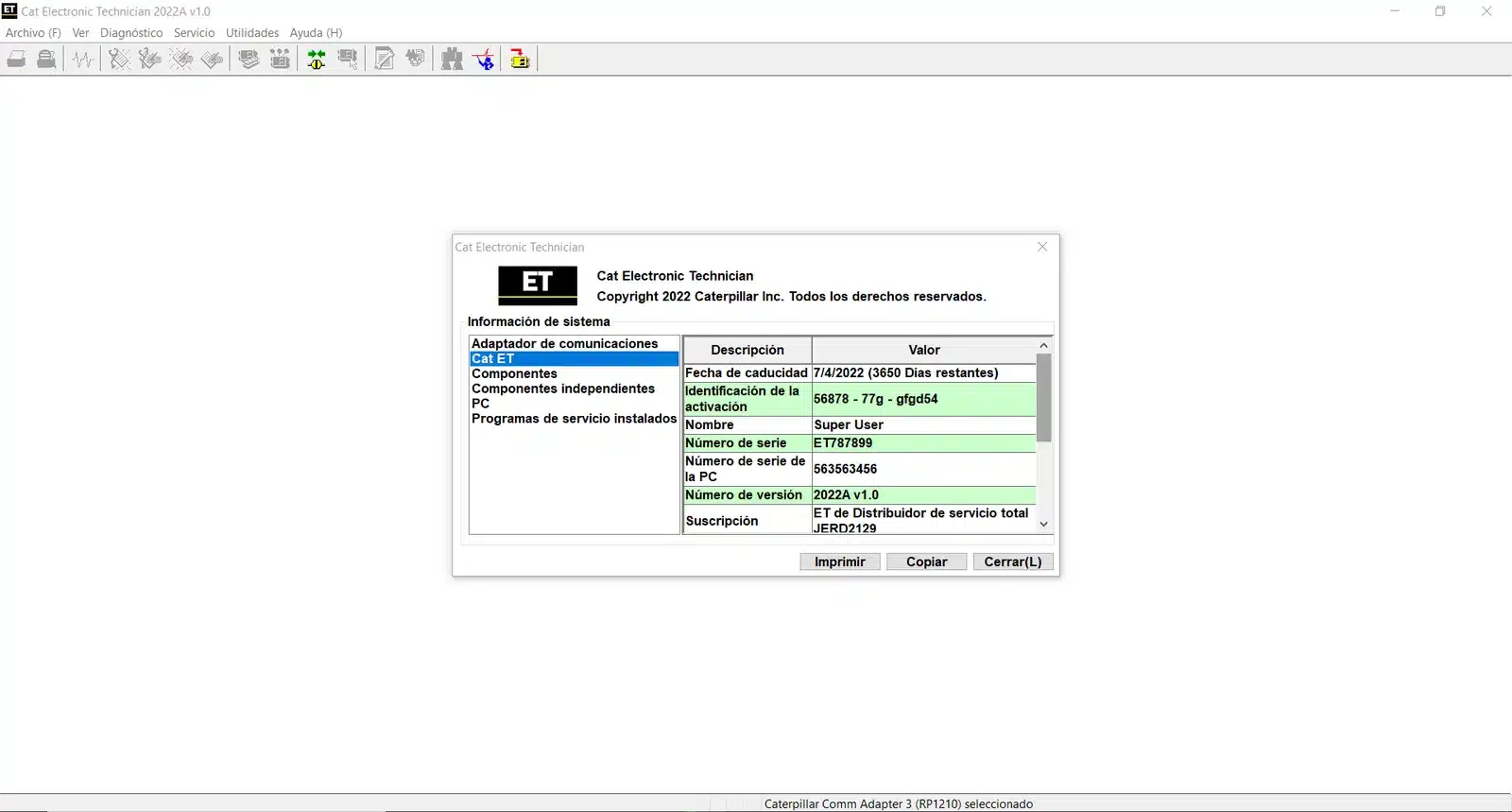
Caterpillar CAT ET 2022A is a diagnostic software tool designed for heavy machinery and trucks. It provides advanced features for monitoring, calibrating, and diagnosing Caterpillar equipment.
Caterpillar CAT ET 2022A: The Ultimate Diagnostic Tool for Heavy Equipment
Caterpillar CAT ET 2022A is a diagnostic software tool designed for heavy machinery and trucks. It provides advanced features for monitoring, calibrating, and diagnosing Caterpillar equipment. The software supports real-time data visualization and efficient maintenance workflows. Installation is facilitated via TeamViewer, ensuring users have a proper setup for optimal performance.
Features and Functionalities of Caterpillar CAT ET 2022A
This software offers an array of advanced features that streamline the diagnosis and maintenance of heavy equipment. With a focus on efficiency, it aids technicians in maximizing operational performance.
Advanced Diagnostic Capabilities
The software excels with its comprehensive diagnostic tools, ensuring effective troubleshooting.
Reading and Clearing Diagnostic Trouble Codes
Caterpillar CAT ET 2022A allows users to easily access and manage diagnostic trouble codes, facilitating quick identification of issues.
Real-Time Data Viewing and Monitoring
Users benefit from real-time monitoring of critical equipment parameters, such as RPM and temperatures, essential for ongoing performance assessment.
Calibration Functions
Calibration is crucial for optimal machinery operation, and this software provides precise functions for adjustment.
Injector Trim and System Calibrations
Efficient injector trimming and system calibrations are made simpler, enhancing the engine’s performance and reliability.
Transmission and Brake Adjustments
Transmission settings and brake systems can be fine-tuned, ensuring safety and effectiveness in operation.
ECM Parameter Updates and Configuration
Keeping the engine control module (ECM) updated is easy with this software.
Automatic Parameter Changes
Users can perform automatic adjustments to parameters, streamlining maintenance workflows.
Secure Access and Factory Password Generator
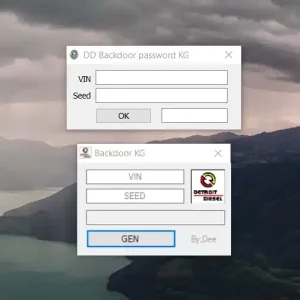
A secure access feature provides peace of mind, while an integrated password generator enhances security measures.
User Interface and Multilanguage Support
The software is designed to be user-friendly and inclusive.
Ease of Use for Technicians
An intuitive layout makes navigation straightforward, facilitating usage by technicians with varying skill levels.
Language Options and Regional Compatibility
With support for multiple languages, it accommodates users globally, enhancing accessibility across regions.
Installation and System Requirements
Before using the software, certain installation requirements must be met to ensure optimal performance and compatibility.
Supported Operating Systems and Hardware
This software operates seamlessly on specific operating systems and hardware configurations.
Compatibility with Windows 10 and 11 (64-bit)
Caterpillar CAT ET 2022A is designed to work with Windows 10 and Windows 11, specifically the 64-bit versions. This ensures smooth functionality and access to the latest features.
Minimum Processor, RAM, and Storage Needs
For optimal performance, the system must meet the following specifications:
- Processor: Intel i5 or higher
- RAM: Minimum of 8 GB (16 GB recommended)
- Storage: At least 20 GB of free space
Installation Process
The installation of CAT ET 2022A can be accomplished effectively with remote assistance.
Remote Installation via TeamViewer
Remote installation can be executed via TeamViewer, which simplifies the setup process and ensures that the software is properly configured for use.
Software Activation and Online Support
After installation, activation of the software is required. Online resources and support are available to assist with activation and troubleshooting issues that may arise.
Required Hardware Accessories
Certain hardware accessories are essential to maximize the software’s functionalities.
CAT Comm III Adapter Setup
The CAT Comm III adapter is necessary for seamless connectivity between the computer and the machinery.
USB Connectivity and Network Requirements
A USB connection is required for the adapter, along with an internet connection for software updates and remote support services.
Using CAT ET 2022A for Efficient Equipment Maintenance
This software serves as a vital tool for maintaining Caterpillar machines, enhancing diagnostic and calibration efficiency.
Diagnosing Issues on Caterpillar Engines and Machines
The Electronic Technician Service Tool enables quick identification of problems within Caterpillar engines through its advanced capabilities.
Electronic Technician Service Tool Features
Critical features include reading and clearing Diagnostic Trouble Codes (DTCs), allowing technicians to swiftly address issues.
Reports and Event Log Access
Users can access detailed reports and event logs, facilitating thorough analysis of machine performance history.
Calibration and Repair Workflows
Efficient workflows can significantly minimize downtime and repair costs, ensuring optimal machine operation.
Injector Trim Procedures
Accurate calibration of injectors enhances fuel efficiency, directly impacting overall equipment functionality.
Updating Power Systems Parameters
Regular updates to power system parameters ensure machinery operates within specified limits, promoting longevity and reliability.
Monitoring and Preventive Maintenance
Continuous monitoring of equipment health is crucial for achieving peak performance and preventing unexpected failures.
Real-Time Data for Continuous Equipment Health
Real-time data viewing helps operators maintain an ongoing assessment of machine conditions, ensuring timely interventions.
Scheduling Service Based on Diagnostic Results
Setting maintenance schedules according to diagnostic insights can streamline operations and enhance equipment uptime.
Sé el primero en valorar “Caterpillar CAT ET 2022A”
Productos relacionados
All Products
All Products

All Products

All Products
All Products

All Products
Valoraciones
No hay valoraciones aún.