
Navistar SDS 2024 PRO
$ 135.00
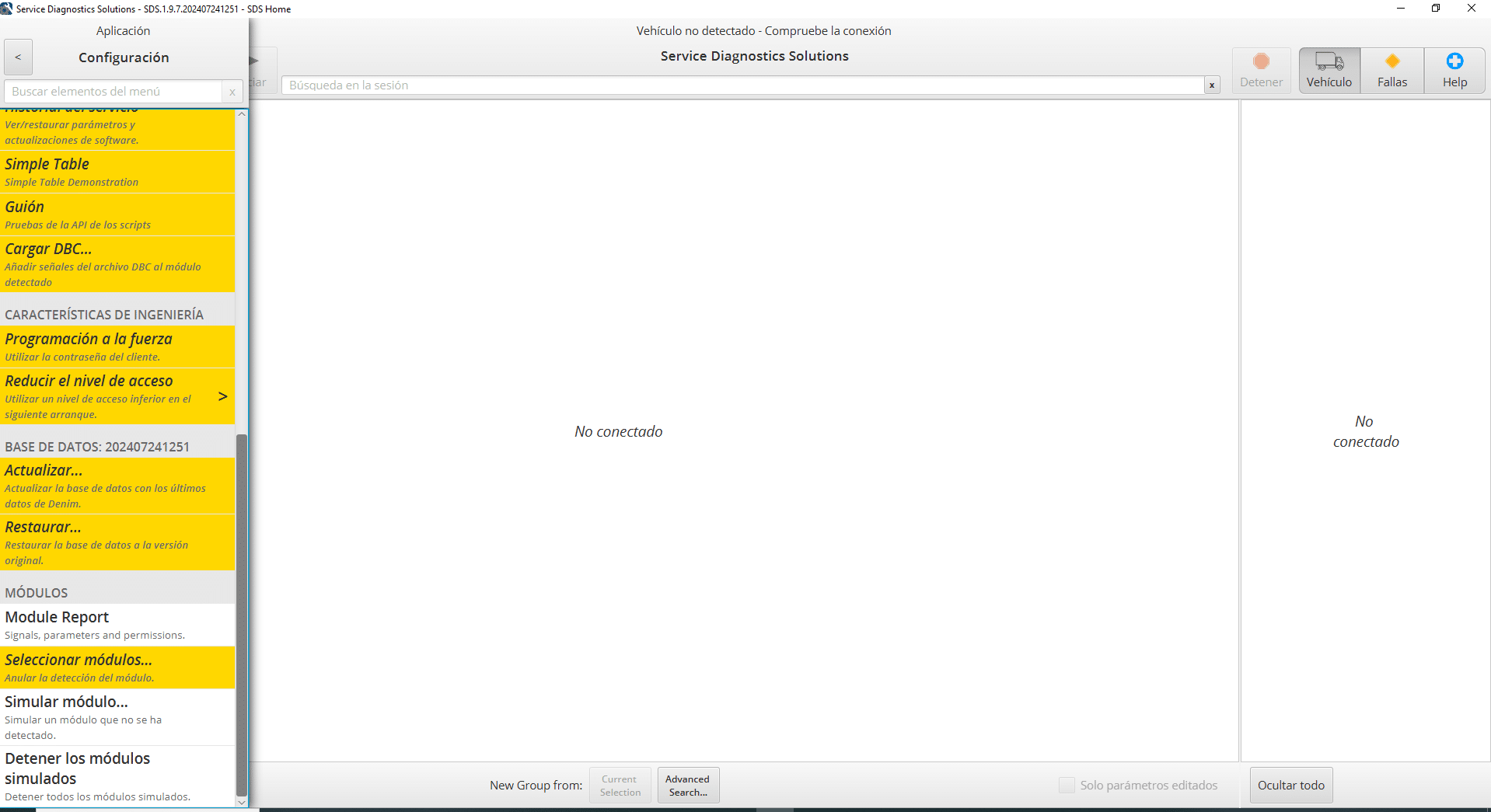
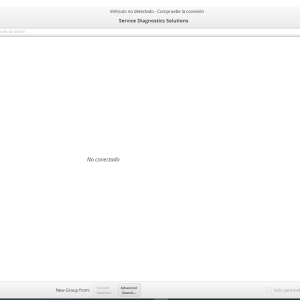
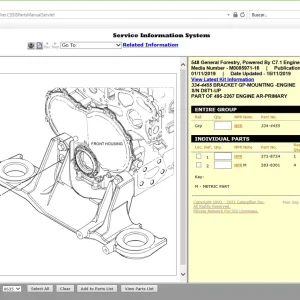
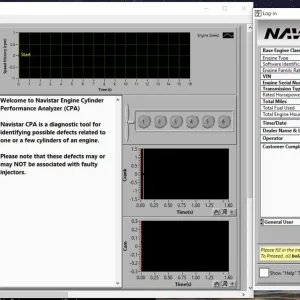
Navistar SDS 2024 PRO is an advanced diagnostic software designed specifically for Navistar vehicles. It provides critical tools for real-time monitoring, DTC management, and vehicle health reporting to maximize fleet efficiency.
Navistar SDS 2024 PRO: Advanced Diagnostic Software for Trucks and Heavy Equipment
Navistar SDS 2024 PRO is an advanced diagnostic software designed specifically for Navistar vehicles. It provides critical tools for real-time monitoring, DTC management, and vehicle health reporting to maximize fleet efficiency. The software is compatible with various vehicle models and offers installation via TeamViewer. Its features ensure that technicians can effectively diagnose and manage heavy machinery and truck systems, optimizing operational performance.
Overview of Navistar SDS 2024 PRO
This section provides essential insights into the Navistar SDS 2024 PRO, highlighting its standout features and supported vehicle models.
Key Features
Navistar SDS 2024 PRO offers a comprehensive range of functionalities that streamline the diagnostic process for heavy-duty vehicles. Key features include:
- Real-time monitoring of engine systems for prompt issue detection.
- Management of Diagnostic Trouble Codes (DTCs) to facilitate troubleshooting.
- Vehicle health reports that assist in preventive maintenance planning.
Supported Vehicle Models
This software is compatible with a wide array of vehicles, ensuring effective diagnostics across numerous brands. The following models are supported:
International and Freightliner
Navistar SDS 2024 PRO includes coverage for various models from International and Freightliner, catering to the unique needs of these vehicles.
Volvo and Isuzu
The software ensures compatibility with both Volvo and Isuzu truck models, providing technicians with the necessary tools for effective diagnostics.
Mercedes Benz and Renault
Support extends to Mercedes Benz and Renault vehicles, allowing for efficient operation in diverse commercial fleets.
Compatibility and System Requirements
Understanding the compatibility and system requirements is essential for effective use of diagnostic software. This section outlines the necessary operating systems and recommended adapters for optimal functionality.
Operating Systems
The software is designed to run seamlessly on various versions of Windows. The compatible operating systems include:
- Windows 11
- Windows 10
- Windows 8
- Windows 7
This versatility ensures that technicians can utilize the software in diverse working environments, enhancing flexibility and accessibility.
Recommended Adapters
To connect effectively with vehicles, certain adapters are recommended. These adapters facilitate communication between the software and the diagnostic port of various heavy machinery and trucks.
NEXIQ Technologies
The NEXIQ Technologies USB-Link 2 is a prominent choice, known for its reliability and compatibility with a wide range of vehicle models.
Wireless Options
For those seeking a wireless connection, options like DLA+ 2.0 Wireless from Noregon Systems, Inc. can be highly beneficial. These adapters provide greater convenience, allowing for flexibility in diagnostics without the need for direct cable connections.
Installation and Setup
Proper installation and setup are crucial for maximizing the effectiveness of the diagnostic software. This ensures smooth operation and access to all the features available.
Installation via TeamViewer
To install the software, TeamViewer is utilized for remote access and setup. This method allows technicians to receive expert guidance while setting up the software on their systems. The steps involved include:
- Establishing a TeamViewer connection with a qualified technician.
- Downloading the Navistar SDS 2024 PRO software package.
- Following the on-screen prompts to complete the installation.
User Access Configuration
Configuring user access is essential to ensure that every technician has the appropriate permissions. The configuration process includes:
- Setting up user accounts based on individual roles within the organization.
- Defining access levels to features according to user requirements.
- Implementing security protocols to protect sensitive information.
These practices facilitate efficient and secure use of the software within workshops and fleets.
Diagnostic Capabilities
The diagnostic capabilities of the Navistar SDS 2024 PRO are essential for maintaining vehicle performance and safety. Technicians rely on various features that facilitate efficient problem-solving and monitoring.
Real-Time Monitoring
This software enables the monitoring of critical systems in real-time, allowing for instant recognition of abnormalities. This proactive approach helps identify potential issues before they escalate into severe problems.
Diagnostic Trouble Codes (DTCs) Management
Effectively managing diagnostic trouble codes is crucial for troubleshooting. The software provides comprehensive tools for handling DTCs, ensuring that technicians can swiftly address errors.
Reading DTCs
The ability to read DTCs allows technicians to pinpoint specific malfunctions. This feature simplifies the diagnostic process by offering clear information on what needs to be repaired.
Clearing DTCs
After addressing issues, the option to clear DTCs is vital. This function confirms that repairs were successful and allows the system to reset, leading to smoother vehicle operation.
Vehicle Health Reports
Generating vehicle health reports contributes to effective maintenance strategies. These reports summarize the overall condition of the vehicle, assisting fleet managers in planning timely service interventions.
Programming and Calibration
Effective programming and calibration are essential components of vehicle maintenance. These functionalities ensure that vehicles operate under optimal conditions and meet necessary operational standards.
Parameter Programming
This feature allows technicians to customize vehicle performance according to specific operational needs. By programming parameters, users can adjust settings such as engine performance and fuel efficiency.
- Access to user ID-based configurations enhances personal preferences.
- Customization facilitates alignment with manufacturer specifications.
Proper parameter programming contributes to enhanced vehicle responsiveness, ensuring that all systems operate harmoniously. This flexibility is beneficial for varying operational environments, maximizing overall efficiency.
Calibration Updates
Calibration updates are crucial for maintaining the vehicle’s systems in compliance with regulatory standards and manufacturer specifications. These updates ensure that diagnostics and performance metrics remain accurate.
- Regular calibration minimizes operational discrepancies.
- Adequate updates enhance vehicle longevity and reliability.
These updates are typically included within the software updates provided with the Navistar SDS 2024 PRO, emphasizing the importance of staying current with the latest calibrations to optimize vehicle functionality.
User Feedback and Reviews
User feedback for the Navistar SDS 2024 PRO appraises its efficiency and usability across various settings. Users highlight a range of experiences informed by practical applications.
Common Praise and Criticisms
Many technicians commend the software for its:
- Intuitive user interface, which simplifies navigation.
- Robust diagnostic capabilities, particularly in real-time monitoring.
- Comprehensive reports that assist in preventive maintenance planning.
Conversely, some criticisms noted include:
- Initial setup challenges, especially for less experienced users.
- Occasional performance issues with older operating systems.
Usage Scenarios
The diagnostic tool proves its value in a variety of real-world situations:
- Fleet management, where quick diagnostics are essential to maintain operations.
- Repair shops that need to address diverse vehicle models efficiently.
Technicians reported improved turnaround times thanks to the software’s functionalities, aiding in seamless vehicle maintenance and repairs.
Sé el primero en valorar “Navistar SDS 2024 PRO”
Productos relacionados
All Products
All Products
All Products

All Products
All Products
All Products
Valoraciones
No hay valoraciones aún.