
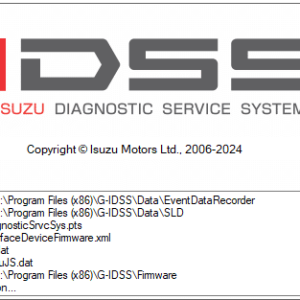
ISUZU G-IDSS Domestic Japan 2024 Diagnostic Software
$ 220.00
The ISUZU G-IDSS Domestic Japan 2024 Diagnostic Software is a crucial tool for automotive technicians working with ISUZU vehicles.
ISUZU G-IDSS Domestic Japan 2024 Diagnostic Software: Efficient Solutions for Heavy Machinery and Trucks
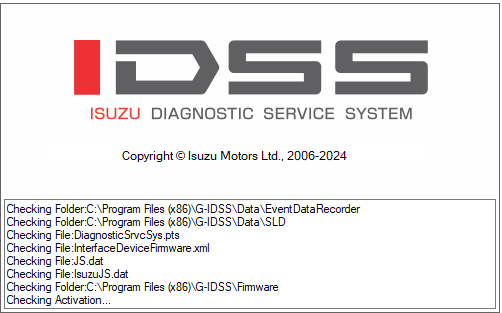
The ISUZU G-IDSS Domestic Japan 2024 Diagnostic Software is a crucial tool for automotive technicians working with ISUZU vehicles. It offers comprehensive diagnostic and programming capabilities tailored to the specific needs of the Japanese market. This software enhances efficiency in vehicle maintenance and repairs. It provides timely access to technical assistance and updates, ensuring that technicians can effectively troubleshoot heavy machinery and trucks.
Channels for Technical Assistance
Various avenues are available for technical assistance, ensuring users effectively navigate challenges associated with diagnostics or programming tasks. These support options help streamline the troubleshooting process and enhance user experience.
- Online Support Portal: Users can access a dedicated online platform that provides resources, FAQs, and troubleshooting guides. This centralized location allows technicians to quickly find solutions to common issues.
- Customer Service Hotline: For more direct assistance, a customer service hotline is available. This service connects users with experienced representatives who handle inquiries and provide guidance on using the software.
- Email Support: Users can also reach out via email for support. This method allows for in-depth communication and the opportunity to share specific details regarding any issues faced.
- Interactive Webinars: Regularly scheduled webinars offer professional training and updates on the latest features. These sessions equip technicians with the knowledge required to optimize the use of the software.
- Community Forums: Participating in community forums provides an interactive space where users can share experiences, tips, and solutions. This collaborative environment fosters a sense of shared knowledge among users.
Utilizing these channels ensures users can effectively address technical concerns, enhancing their overall experience with the diagnostic software and contributing to more efficient operations in the workshop.
Access to Software Updates and Resources
The ISUZU G-IDSS Domestic Japan 2024 Diagnostic Software provides essential access to timely updates and invaluable resources for technicians. Keeping the software current is crucial for maintaining optimal performance and ensuring compliance with the latest industry standards.
Technicians can take advantage of various resources that enhance their proficiency while using the system. These may include:
- Detailed user manuals, providing insights into all features and functions.
- Online tutorials that offer step-by-step guidance on performing diagnostics and repairs efficiently.
- Webinars and workshops conducted by ISUZU experts, keeping technicians informed about the latest advancements.
To facilitate seamless updates, the software requires an internet connection. This connectivity allows users to download patches and enhancements regularly, ensuring the system is equipped with the latest tools and features to diagnose complex vehicle issues effectively.
Furthermore, the support resources available contribute to a well-rounded knowledge base. Accessing these materials helps technicians improve their skills, leading to more efficient diagnostics and repairs. The commitment to continuous improvement within the ISUZU community emphasizes the importance of staying up-to-date in a rapidly evolving automotive landscape.
Programming Capabilities
The programming features of the ISUZU G-IDSS Domestic Japan 2024 software play a vital role in enhancing vehicle performance. Technicians benefit from the ability to update and reprogram various control modules, ensuring they operate in accordance with the latest manufacturer specifications.
This software enables significant functionalities, including:
- ECU Updates: Provides seamless updates to Engine Control Units (ECUs), promoting optimal engine performance and compliance with current regulations.
- Module Reprogramming: Technicians can perform reprogramming of various vehicle modules, which is essential for maintaining compatibility with newer technologies and features.
- Adaptation Procedures: Facilitates adaptation for components after replacement, ensuring that all systems function correctly post-installation.
- Key Programming: Allows for efficient key coding and synchronization, which increases security and convenience for vehicle owners.
The interface has been designed to simplify these processes, providing step-by-step guidance for each programming task. This user-friendly approach minimizes the learning curve while maximizing productivity within the workshop environment. Consequently, these programming capabilities enhance the overall efficiency of diagnostic and repair operations.
Benefits for Technicians and Workshops
The use of specialized diagnostic software brings numerous advantages to both technicians and their respective workshops. It empowers professionals to perform faster and more accurate assessments on ISUZU vehicles, ultimately enhancing service quality.
- Efficiency: Streamlined diagnostic processes help minimize time spent on each vehicle. This results in reduced downtime for repairs and increased productivity within the workshop.
- Improved Decision-Making: Access to detailed data and reports allows technicians to make informed decisions regarding maintenance and repairs, ensuring the highest standards of service are met.
- Comprehensive Training Resources: Ongoing educational materials and training sessions equip technicians with the know-how to utilize the software effectively, keeping them updated on the latest industry practices.
- Enhanced Customer Satisfaction: Quicker, more reliable diagnostics can lead to higher customer satisfaction. When vehicles are efficiently serviced, clients are more likely to return for future needs.
- Support for Complex Repairs: The software’s advanced features facilitate troubleshooting and resolution of complex issues, providing technicians with the tools needed for thorough and effective repairs.
This combination of benefits contributes to a more proficient workforce, capable of handling the evolving demands of the automotive industry. Workshops that invest in such tools can expect to see a significant return in terms of productivity and client loyalty.
2024 Updates and Interface Enhancements
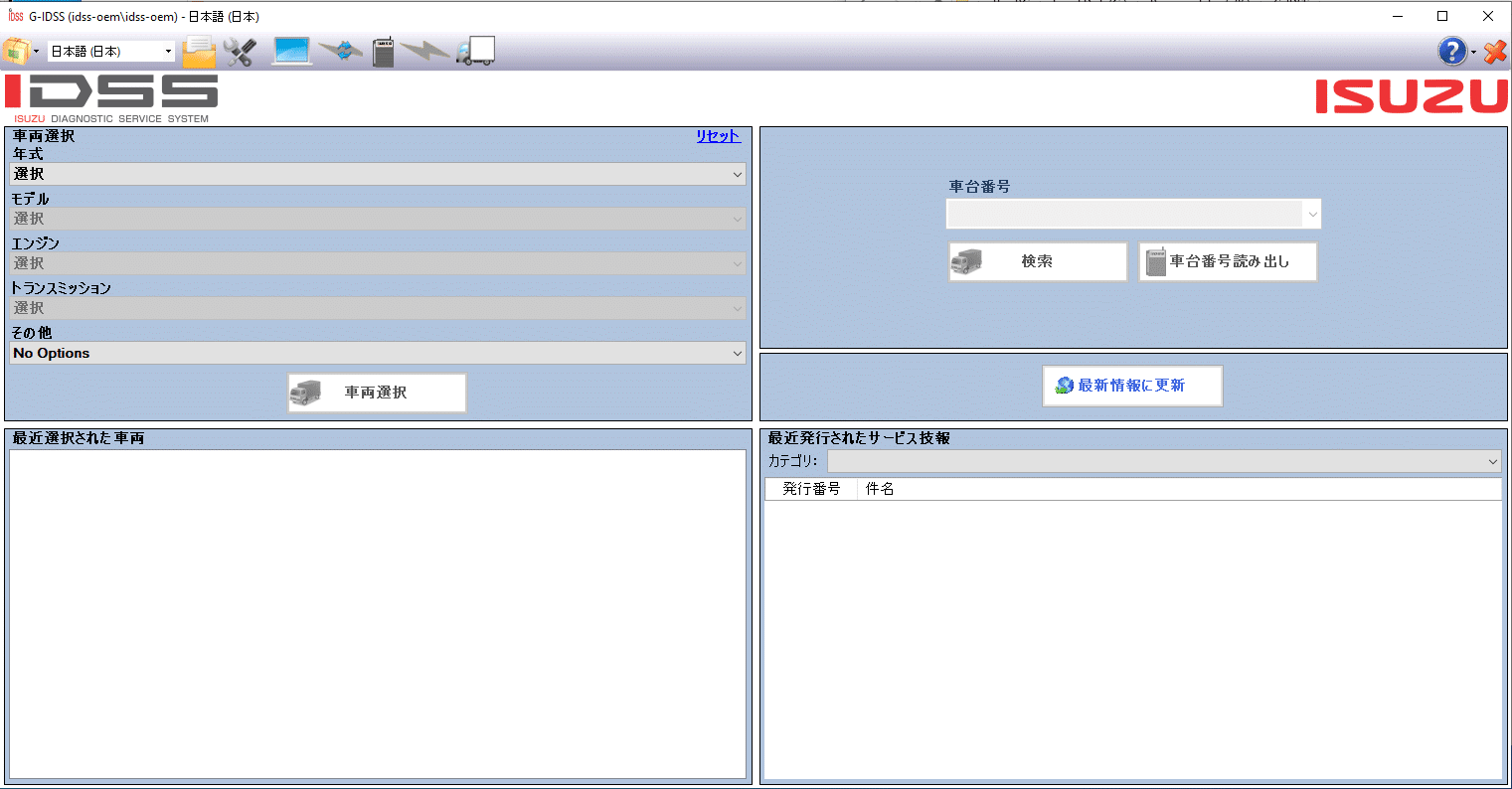
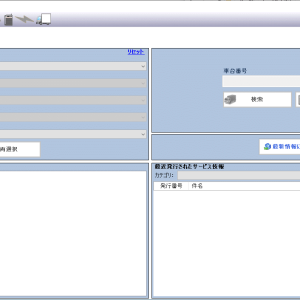
Significant improvements in the 2024 version have focused on both functionality and user experience. The redesigned user interface is more intuitive, allowing technicians to navigate easily and access essential features without unnecessary delays.
Key enhancements include:
- Streamlined access to diagnostic tools for faster problem resolution.
- Integrated help resources within the interface for quick guidance on tool usage.
- Improved data visualization options for a clearer understanding of diagnostics.
The update also offers enhanced programming capabilities. Technicians can now execute updates and configurations for various ECU modules with increased accuracy. This is crucial for ensuring vehicles operate according to manufacturer specifications.
Regular updates ensure that the software remains aligned with the latest industry standards, providing users with cutting-edge tools to handle the complexities of modern ISUZU vehicles. These enhancements not only improve diagnostic efficiency but also support technicians in delivering superior service.
Comparison with Competing Diagnostic Tools
The ISUZU G-IDSS stands out in the market for its specialized focus on ISUZU vehicles, offering comprehensive diagnostic solutions that some competing tools lack. Unlike generic diagnostic tools, G-IDSS provides specific functionalities tailored to ISUZU’s engineering and design, enhancing accuracy and depth of analysis.
Several competing tools, such as DTC Trucks and PACCAR Diagnostics, cater to a wide range of vehicle brands. However, their broad approach often results in less optimal performance when it comes to ISUZU-specific modules. Key differentials include:
- Targeted Functions: G-IDSS offers advanced features like DTC management and actuator testing that are uniquely suited for ISUZU models.
- Integration with Vehicle Systems: This software ensures seamless integration with the electronic architecture of ISUZU vehicles, which enhances overall diagnostic reliability.
- Continuous Updates: Regular updates keep the software aligned with new ISUZU vehicles and technologies, maintaining its leading-edge capabilities.
In comparison, competitors may not provide the same level of targeted updates for ISUZU, which can lead to outdated information for technicians relying on them. With dedicated resources and functionalities, ISUZU G-IDSS remains the preferred choice for professionals working within this specific automotive niche.
System Requirements and Installation
Installing the ISUZU G IDSS requires specific hardware and software configurations to ensure seamless operation. The right setup maximizes performance and allows users to take full advantage of the diagnostic capabilities offered.
System Requirements
Essential system specifications for optimal software performance are as follows:
- Operating System: Windows 10 or 11 (both 32-bit and 64-bit versions are supported).
- Internet Connection: A stable internet connection is necessary for updates and additional resources.
- Hardware Specifications: It is recommended to have a modern processor along with at least 8 GB of RAM to manage the extensive database and software functions efficiently.
Installation Guidelines
Proper installation is key to ensuring that the software runs smoothly. The installation process typically involves the following steps:
- Download the software package from the authorized source.
- Unzip the file using an appropriate extraction tool, such as WinRAR.
- Follow the on-screen prompts to complete the installation process.
- A TeamViewer setup may be utilized for remote installation assistance if required.
By adhering to these guidelines, users can ensure that the software is installed correctly and functions at its best.
Download and Installation Support
Users can conveniently access the software through a simple download process designed for efficiency. The installation file, which is available in WinRAR format, can be easily extracted and installed on compatible Windows operating systems. For a successful installation, vital system requirements must be met, ensuring optimal performance of the diagnostic tool.
To assist users during the installation process, various resources are offered:
- Step-by-step installation guides are provided, detailing each phase of setup.
- Video tutorials are available for visual learners, demonstrating the installation process in real-time.
- Technical documentation includes troubleshooting tips for common installation issues.
Furthermore, users can receive personalized installation support through remote assistance platforms. TeamViewer is often utilized to facilitate hassle-free guidance, allowing technicians to connect securely and address installation challenges directly on the user’s system.
Engagement with customer support is highly encouraged for ongoing assistance. Help is readily available to ensure that users can effectively utilize the software without unnecessary complications. With reliable resources and dedicated support, users can have confidence in successfully downloading and installing the software.
Sé el primero en valorar “ISUZU G-IDSS Domestic Japan 2024 Diagnostic Software”
Productos relacionados
All Products
All Products
All Products
All Products



All Products
Valoraciones
No hay valoraciones aún.